
How do vouchers work?
How do vouchers work?
Receiving your voucher
You will receive an email from support@evouchers.com. This is not spam but may come through into your junk/spam folder, so please check this regularly. We suggest the following actions before vouchers are issued, to ensure you receive them:
- Check your mailbox settings are set to received/allow junk mail
- Add support@evouchers.com to your safe sender list
- Check your mailboxes are not full
- Use your email search bar to search 'All mail'
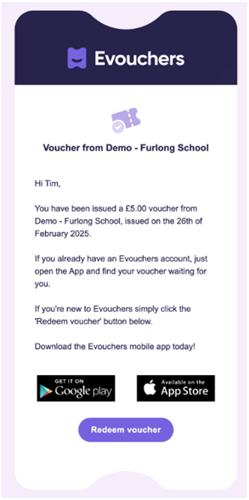
Here's an example of what the email will look like:
Step by step guide to redeeming your voucher:
Step 1
You can redeem via Evouchers webpages or by downloading their app. If you already have an account with Evouchers, your voucher will automatically appear in your account. Simply open the app or log in via evouchers.com/login.
If you do not already have an account with us, click Redeem voucher in the email.
Step 2
Open the Evouchers app or go to evouchers.com/login and enter your email address.
Step 3
If you are new to Evouchers confirm your details and create an account.
Step 4
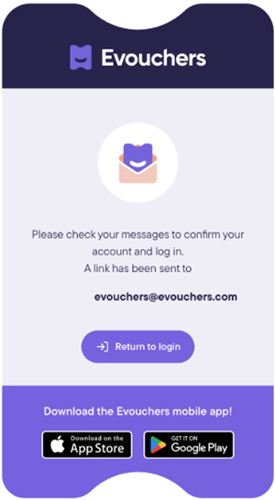
You will be sent a secure login link to your email address to access your account
Step 5
Go to your emails and click here to login
Step 6
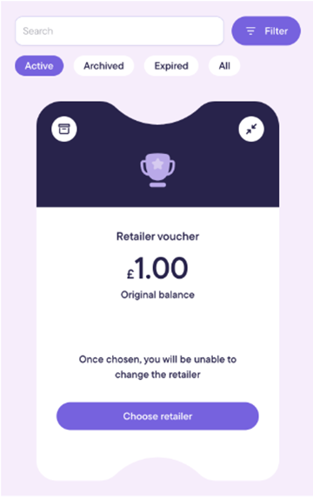
Click choose retailer then once your voucher will be ready for you to claim on your home page
Step 7
There are 7 supermarkets to choose from
- Aldi
- Asda
- Tesco
- Morrisons
- Sainsbury's
- Farm Foods
- Iceland/Food Warehouse
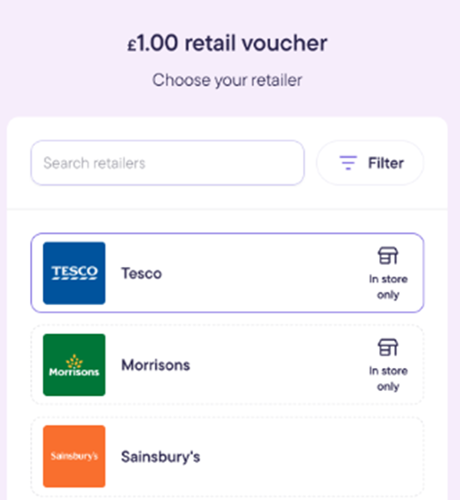
Step 8
Confirm your retailer - please note - once selected this cannot be changed
Step 9
Now you can view your gift card, you can use this in store by showing the barcode at the till. If the barcode does not scan the barcode number can be manually entered in most tills.
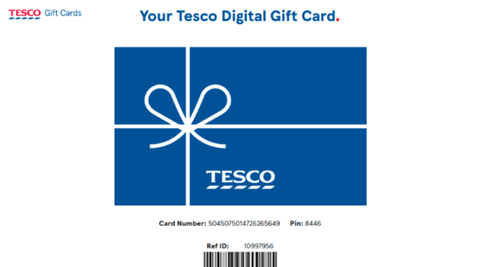
Please visit their webpage here for full guidance: How to claim your voucher – Evouchers
Last reviewed: